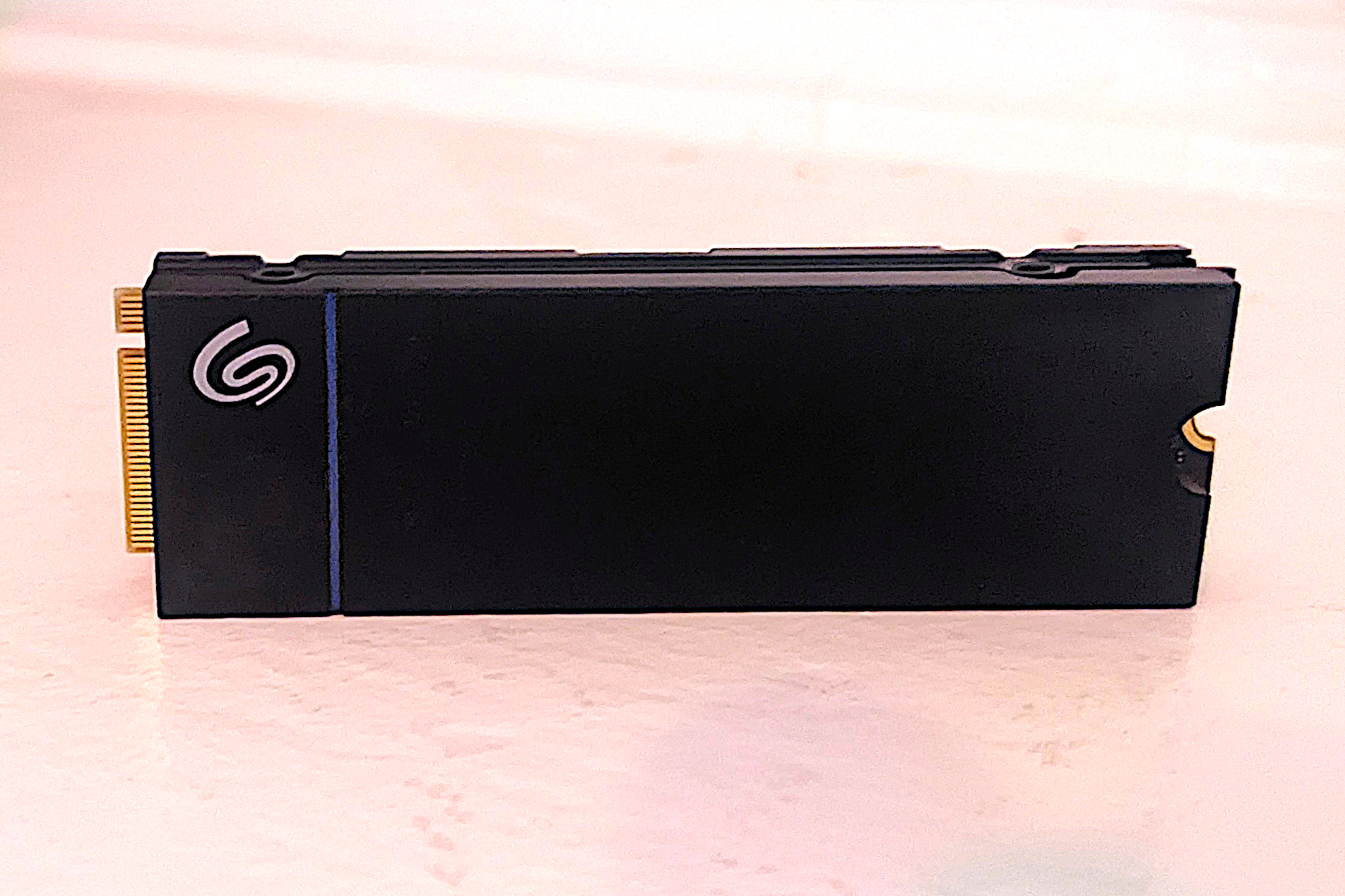
Seagate Game Drive, specifically marketed for the PS5. It’s a very strong contender, boasting overall solid performance and particularly excellent 4K speeds. A low-profile heatsink is a welcome touch for console integration. The biggest selling point, however, might be its astounding 1,275TBW rating, which is more than double the industry average for similar drives, backed by a five-year warranty.
What really matters for PS5 owners is its use of DRAM for primary caching. Sony's console doesn't support Host Memory Buffer (HMB), so a DRAM-equipped SSD is essentially mandatory to extract maximum performance. Available in 1TB and 2TB models, this drive ensures you won't run out of space too quickly.
, and as of early 2026, supply has been tight. Even so, it secured its place as our second-fastest PCIe 4.0 SSD to date in random operations. It's a no-brainer for serious PS5 users, and it'll work just fine in any PC with a standard PCIe M.2 2280 slot. Read our full
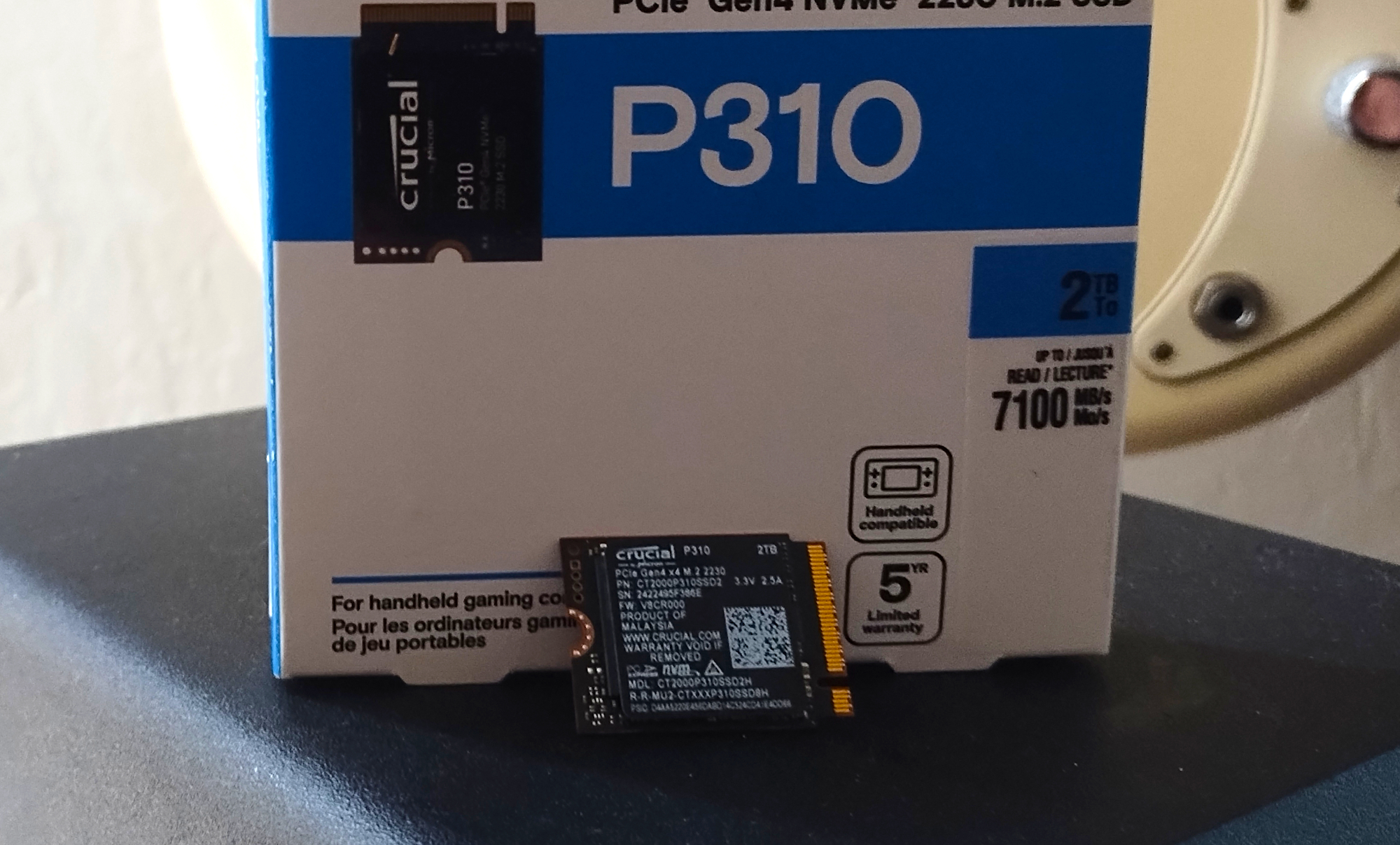
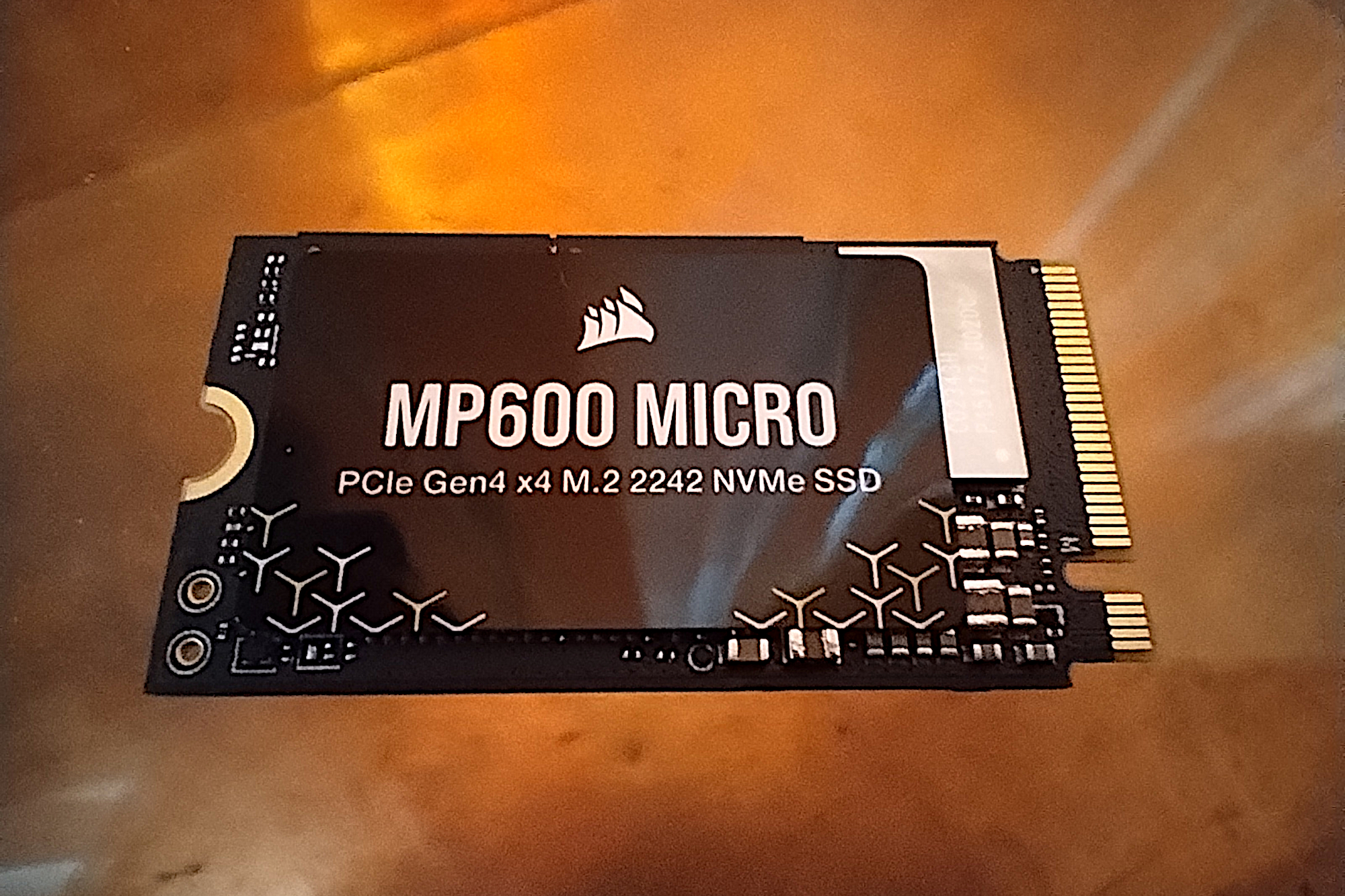
Corsair MP600 Micro is an intriguing option for a more specific form factor: the 2242. This isn't your standard 2230 for handhelds or the ubiquitous 2280 for most PCs. Instead, it targets devices like Lenovo's Legion Go and various Thinkpad portables, which specifically use M.2 slots that are 22mm wide and 42mm long. It's a direct fit, which is crucial for these systems.
While it isn't the absolute fastest PCIe 4.0 SSD we've put through its paces, the MP600 Micro punches above its weight. It delivered the best performance among 2242 drives and held its own against many larger 2280 SSDs. Add in its affordable pricing, and you've got a compelling upgrade for that particular hardware segment. Just remember: it's designed for 2242 slots, so don't expect it to squeeze into a smaller 2230 bay.
Check current prices, and see our full
Corsair MP600 Micro review for the deep dive.
Other Noteworthy PCIe 4.0 SSDs on Our Radar
The PCIe 4.0 SSD market is broader than ever, with drives catering to almost every need and budget. We've seen some interesting entries that don't quite make the top tier for specific categories but still deserve mention. Take the
Orico OS5, for instance; it’s marketed for the PS5, but its HMB design isn't actually supported by Sony's console, so that's a pass. On the flip side, the
Teamgroup T-Create C47 truly shines when it comes to sustained, super-long writes, a niche that matters for specific workloads. The
Lexar NQ780 also put in a surprisingly strong performance against some tough competition, making it a solid, if less talked about, option.
For value-conscious buyers, there's the
Orico IG740-Pro, a decently priced, fast-enough SSD that even includes some useful extras. Another 2230 option, the
PNY CS2342, targets the Steam Deck crowd and performs admirably with lighter workloads. Then there's the
Teamgroup MP44Q, a solid choice for everyday computing.
If you're willing to save a few dollars and can manage without DRAM,
Addlink’s A93/S93 offers decent performance, though the A93 (with its heatsink) faces fierce competition from faster, similarly priced drives. For those at the very high-end, the
WD SN850X 8TB SSD is significantly faster than its 2TB sibling, but that performance comes with a staggering premium. Samsung's
990 EVO Plus is a curious hybrid, updating the 990 EVO with support for both PCIe 4.0 and 5.0, though its PCIe 5.0 performance is effectively capped at PCIe 4.0 bandwidth.
For stretching your SSD budget without sacrificing too much performance, the
T-Force G50 is a strong candidate for everyday PCIe 4.0 tasks. And if you're still skeptical about DRAM-less drives, the
Kingston NV3 is a clear example that Host Memory Buffer (HMB) designs can indeed deliver competitive speeds. Finally, the
Sabrent Rocket Nano 2242 also hits that specialized 22x42mm form factor, a bespoke fit for Lenovo's Legion Go and Thinkpads, though it’s adaptable to standard slots too.
How We Put PCIe 4.0 SSDs Through Their Paces
Understanding how we benchmark these drives is key to interpreting our recommendations. For most of the SSDs reviewed here, our testing environment runs on Windows 11, 64-bit. The core hardware consists of an X790 motherboard, capable of both PCIe 4.0 and 5.0, paired with an Intel i5-12400 CPU. We equip this system with a generous 64GB of memory, specifically two Kingston Fury 32GB DDR5 4800MHz modules. For connectivity, we're using integrated 20Gbps USB and Thunderbolt 4. Graphics are handled by the Intel CPU/GPU.
When it comes to large file transfers, our methodology is precise. For 48GB tests, we utilize an ImDisk RAM disk, dedicating 58GB of our total 64GB memory for this purpose. The even larger 450GB file transfers originate from a
2TB Samsung 990 Pro, which also serves as our operating system drive. This robust setup ensures consistency and provides a clear picture of how each SSD performs under demanding, real-world-simulated conditions.Here's the thing about storage reviews: a lot of it comes down to the rigor of the testing. Without a solid foundation, all those speed numbers are just… numbers. So, before diving into recommendations, it’s worth understanding the environment we used to put these SSDs through their paces.
Inside Our SSD Test Lab
We don’t just plug drives in and run a quick benchmark. Our testing platform for newer SSDs is built around a modern, high-performance setup. We’re talking about Windows 11 24H2, 64-bit, booting from a PCIe 4.0 Samsung 990 Pro. This system runs on an
Asus Z890-Creator WiFi motherboard, which supports both PCIe 4.0 and 5.0, ensuring we’re not bottlenecking anything right out of the gate. Processing power comes from a Core Ultra i5 225 CPU, backed by a generous 128GB of memory – specifically, two
Crucial 64GB DDR5 5600MHz modules. Integrated 20Gbps USB and Thunderbolt 5 support, coupled with Intel’s CPU/GPU graphics, round out a workstation-grade environment.
For mounting the SSDs under review, we use either a
HighPoint 7604A 16x 4-slot PCIe 5.0 RAID adapter card or a single-slot Asus ROG M.2 PCIe 5.0 adapter. This setup ensures that we can handle the fastest drives on the market, giving them every chance to show their full potential. Our testing isn't just theoretical; it’s grounded in decades of experience. Jon L. Jacobi, who has personally tested HDDs, SATA SSDs, and NVMe SSDs for PCWorld for over twenty years, brings an unmatched perspective, having seen storage technology evolve from punch cards to solid-state drives.
When it comes to benchmarks, we rely on a mix of synthetic and real-world applications. Synthetic tests like
CrystalDiskMark 8,
AS SSD 2, and
ATTO 4 reveal a drive's peak theoretical performance. But we also simulate real-world usage with 48GB and 450GB drag-and-drop transfers via Windows Explorer, and then push the limits with the much faster FastCopy. Our secondary source/destination for these transfers is a two-drive 25GBps RAID 0 array on a
HighPoint 7604A 16x PCIe 5.0 adapter card, ensuring we’re testing bottlenecks at the drive level, not the source.
Every test starts with a newly formatted and TRIM’d drive to guarantee optimal results. A word of caution, though: our numbers reflect this ideal state. As a drive fills up, performance can degrade because there's less NAND available for secondary caching. However, current generation SSDs, with their faster NAND, tend to be less affected by this. And, crucially, these performance figures are specific to the exact drive and capacity we tested. SSD performance varies, sometimes significantly, with different capacities due to the number of chips available for parallel reads/writes and the total NAND for caching. Vendors also tweak components without much fanfare. If your experience doesn’t align with our reports, let us know. For a more exhaustive explanation, check out
PCWorld’s article on how we test internal SSDs.
Navigating the PCIe 4.0 SSD Market
Choosing a PCIe 4.0 NVMe SSD doesn't have to be a headache, but you'll want to prioritize capacity, price, and warranty. While many budget drives offer a standard three-year warranty, you’ll typically find better models backed by a five-year guarantee.
A key indicator of long-term reliability is the drive’s TBW (terabytes written) rating. Think of it like a mileage limit on a car warranty; it's the amount of data the vendor believes you can write before the drive’s overprovisioned cells—which replace worn ones—are exhausted. This figure is a calculation based on the NAND type and a dose of financial planning from the manufacturer. That said, it’s worth noting that modern SSDs are remarkably durable.
Tech Report’s grueling endurance tests years ago proved that drives can handle petabytes of writes, meaning most consumers won't hit these limits under normal use. Still, if you're comparing, QLC NAND typically has a lower TBW rating than TLC NAND.
The connection technology is another detail to watch. We’ve covered more in-depth buying advice in our guide on
which type of SSD you should buy, but here are the essentials:
Essential SSD Terminology
* **PCIe**: This is the backbone of modern storage. It’s a high-speed bus that enables memory transfer at incredible speeds – nearly 4GBps for PCIe Gen 3, and over 10GBps for PCIe 5.0. It's the perfect partner for the NVMe protocol used by most M.2 PCIe SSDs. While many M.2 slots are PCIe, some older ones are SATA. You can also pick up adapters to put "gumstick" (2280) M.2 drives into standard PCIe slots. PCIe 4.0 drives are a significant upgrade over 3.0, but they demand an AMD Ryzen 3000-series or Intel Core 11th-gen (or newer) CPU and a compatible motherboard. PCIe 5.0 pushes even further, hitting up to 15GBps for storage.
* **NVMe**: Short for Non-Volatile Memory Express, this protocol exploits PCIe’s vast bandwidth and NAND’s unique properties, like multiple lanes and caching, to deliver exceptional SSD performance. For the full technical breakdown, check out
PCWorld’s “Everything you need to know about NVMe.”
* **M.2**: Don’t assume all M.2 drives are PCIe/NVMe. Before NVMe became prevalent, some M.2 slots and SSDs were mSATA. If you’re upgrading an older machine, confirm whether you need an NVMe or SATA M.2 drive.
* **mSATA and U.2**: You might encounter mSATA in older gear, while U.2 SSDs are mostly found in enterprise servers. Consumer motherboard support for U.2 is practically nonexistent.
Here's a crucial point: speed matters, but don’t get carried away. Most contemporary SSDs, even the slower variants, are incredibly fast for typical use. A PCIe SSD will only perform at the speed supported by its host device. A PCIe 5.0 SSD, for instance, won't hit its rated speeds on a PCIe 3.0 system.
To put some numbers to it: expect around 3.5GBps max from PCIe 3.0, 7.5GBps from PCIe 4.0, and just north of 14GBps with PCIe 5.0. These are optimal speeds, usually seen in synthetic benchmarks or software that fully exploits NVMe's multiple queues. In everyday Windows transfers, however, single-queue limitations often cap all flavors at under 4GBps. So, for most users, there's no need to overspend on the absolute fastest drive. If you *do* want to boost your transfer performance beyond Windows Explorer, try
FastCopy—it can be two to three times quicker.
Our Top PCIe 4.0 SSD Recommendations
What is the best PCIe 4.0 SSD?
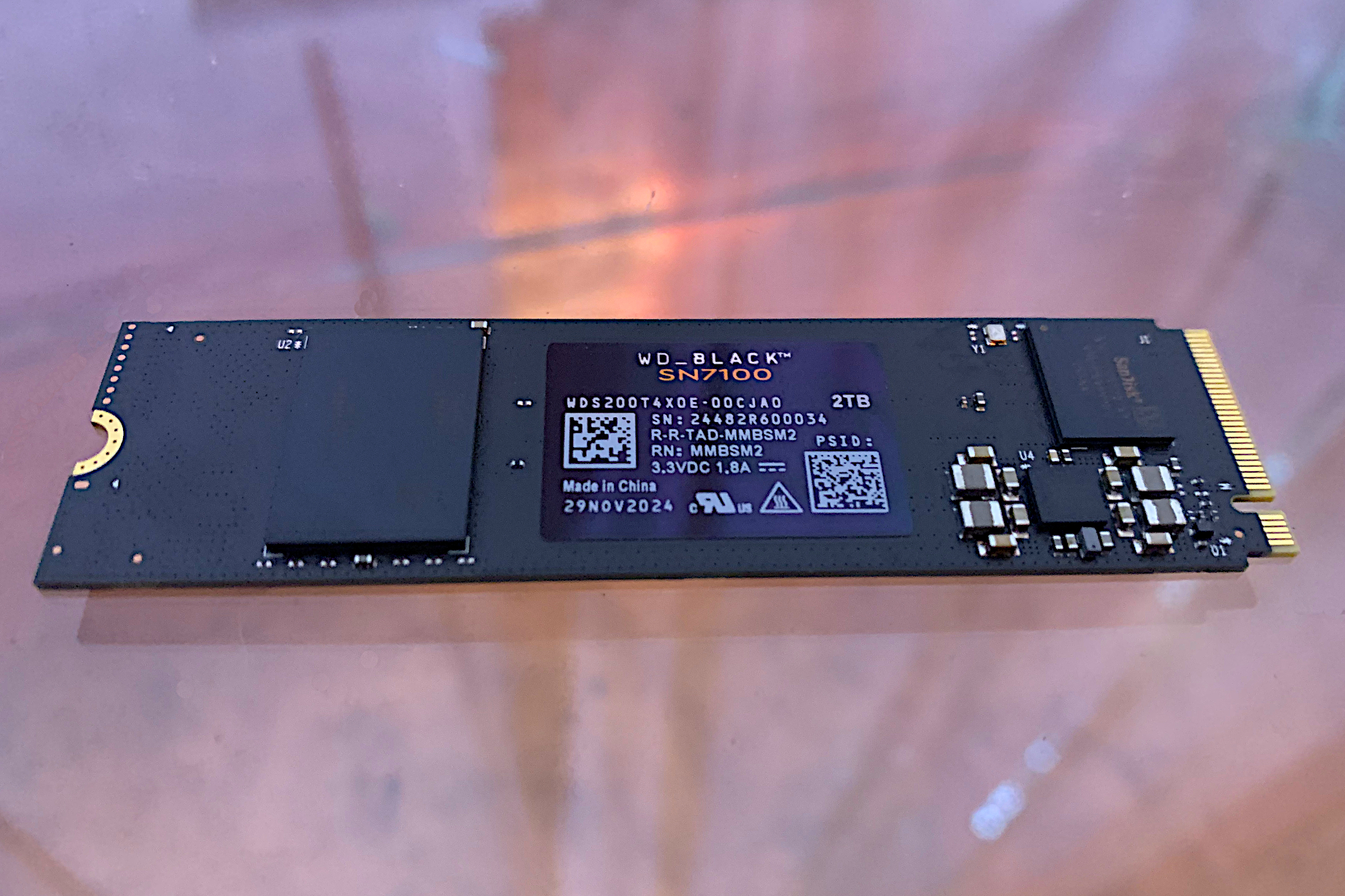
Our pick for the best PCIe 4.0 SSD overall is the
WD Black SN7100, available in capacities up to 4TB. The 2TB model we tested consistently ranked as the second-fastest PCIe 4.0 SSD in our benchmarks. The slightly quicker Lexar Play 2280, unfortunately, appears hard to find now.
What is the best cheap PCIe 4.0 SSD?
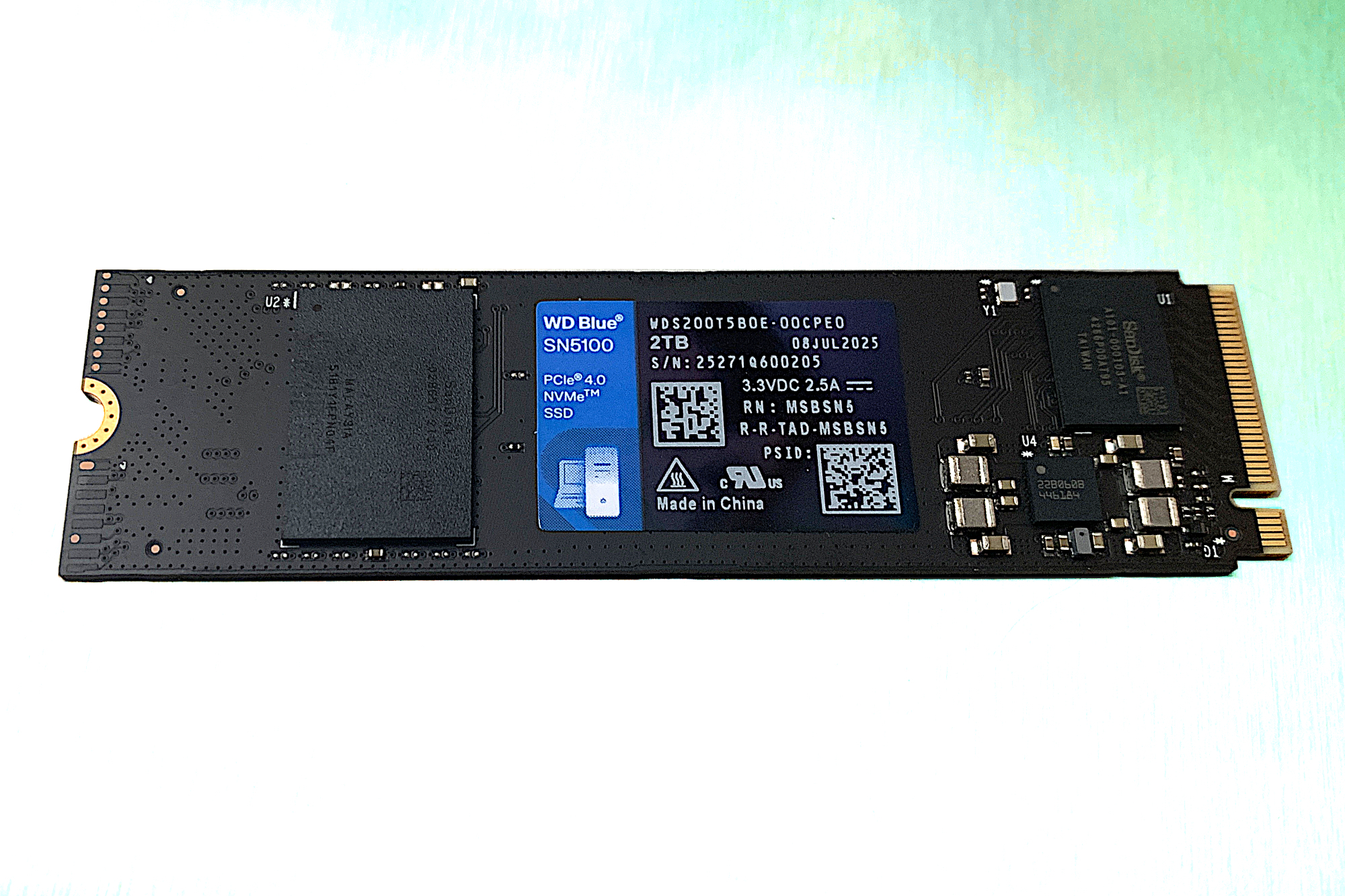
If you’re looking for performance on a budget, the
WD Blue SN5100 takes our top spot for best cheap PCIe 4.0 SSD, with
Kingston’s NV3 trailing closely. Both offer a compelling mix of speed and affordability.
The Bottom Line
Ultimately, the SSD market has matured significantly. While bleeding-edge PCIe 5.0 drives command attention, the sweet spot for most consumers remains firmly in the PCIe 4.0 space. You can get incredible performance, ample capacity, and solid reliability without breaking the bank. The real trick isn't necessarily buying the "fastest," but buying "smart"—matching the drive's capabilities to your actual use case and hardware, ensuring you're getting value, not just raw, often-unrealized speed.